
PDFVault

Form 14039 · Identity Theft Affidavit

Fill out 14039 Form Online in 2026

Report tax-related identity theft to the IRS. Fill in the official Form 14039 online, sign it, and download a completed PDF ready to submit.

No account needed to start. You only enter your email when you download.

PDFVault is an independent online PDF editor. We are not affiliated with, endorsed by, or acting on behalf of the IRS or any government agency. You can download this form for free from irs.gov.

Start for $0.99 for 7 days, then $39.99 per month unless you cancel. The fee is for PDFVault's editing and download tools, not for the government form, which is free from the issuing agency.

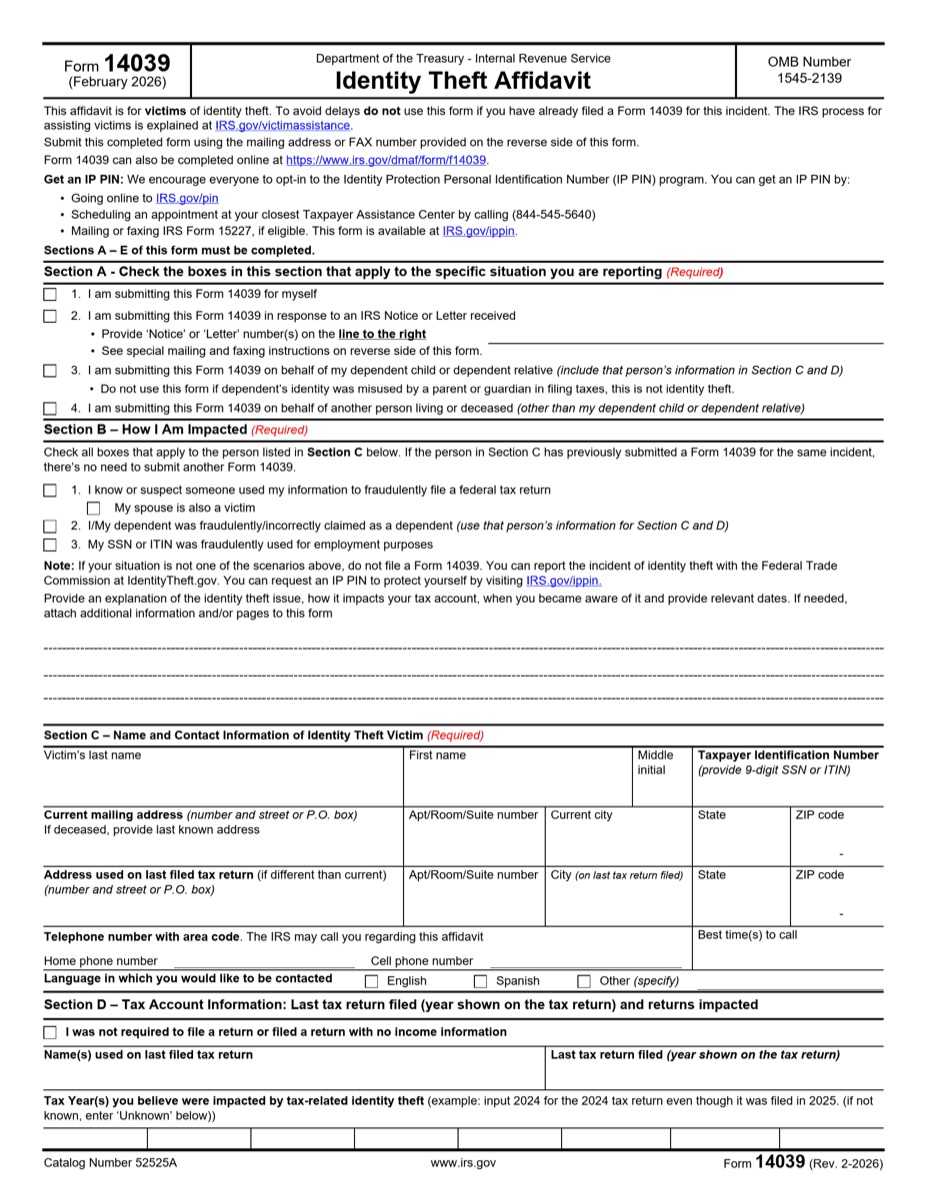
Preview of IRS Form 14039, the Identity Theft Affidavit

Get your form

We use the latest official version of this form. It opens ready to fill — every page, field and checkbox from the original PDF.

Form
Form 14039
Issued by
Internal Revenue Service (IRS)
Version
02/2026
Pages
2
Fillable online
Yes
Sign online
Yes

How to fill out Form 14039 online

  1. 1

    Open

    Click Get Form. The official blank form opens in our editor — nothing to download or upload.

  2. 2

    Fill

    Type into the fields, tick the checkboxes and add your signature right on the form.

  3. 3

    Download

    Click Download, enter your email and get a completed PDF ready to print, mail or submit.

What is Form 14039?

Form 14039 is the IRS Identity Theft Affidavit. You file it to tell the IRS that someone may have used your Social Security number or ITIN — for example to file a tax return in your name — so the IRS can protect your tax account.

The form is two pages: one page of questions in sections A to F, and one page of submission instructions.

Who needs Form 14039

  • Taxpayers whose e-filed return was rejected because their SSN was already used
  • Taxpayers who received an IRS notice about a return or income they don't recognize
  • Parents, guardians or representatives reporting identity theft for someone else

Form 14039 instructions

  1. 1

    Section A — choose your situation

    Tick the boxes that describe why you are filing, including any IRS notice or letter number you received.

  2. 2

    Section B — explain how you are affected

    Describe how the identity theft affects your tax account, such as a rejected return or unfamiliar income.

  3. 3

    Section C — the victim's details

    Enter the name, Social Security number or ITIN, address and contact details of the identity theft victim.

  4. 4

    Section D — tax account information

    Give the last tax year you filed and the tax years affected, if you know them.

  5. 5

    Sections E and F — sign and add a representative

    Sign the penalty of perjury statement in section E. Complete section F only if you are filing on someone else's behalf.

Where to submit Form 14039

Send the completed and signed form to the IRS by one method only — online, by mail or by fax, using the addresses on page 2 of the form. The IRS prefers online submission.

Do not file Form 14039 again for an incident you have already reported, and do not use it if you only need to answer an IRS identity verification letter — follow the instructions in that letter instead.

Frequently Asked Questions

Ready to fill out Form 14039?

Open the official form, fill it in, and download your completed PDF in minutes.

PDFVault is an independent online PDF editor. We are not affiliated with, endorsed by, or acting on behalf of the IRS or any government agency. You can download this form for free from irs.gov.

Start for $0.99 for 7 days, then $39.99 per month unless you cancel. The fee is for PDFVault's editing and download tools, not for the government form, which is free from the issuing agency.

This page is general information, not legal or tax advice. Always check the official instructions before submitting. Official PDF