
PDFVault

Form W-4 · Employee's Withholding Certificate

Fill out W-4 Form Online in 2026

Tell your employer how much federal income tax to withhold from your pay. Fill in the official 2026 W-4 online, sign it, and download it in minutes.

No account needed to start. You only enter your email when you download.

PDFVault is an independent online PDF editor. We are not affiliated with, endorsed by, or acting on behalf of the IRS or any government agency. You can download this form for free from irs.gov.

Start for $0.99 for 7 days, then $39.99 per month unless you cancel. The fee is for PDFVault's editing and download tools, not for the government form, which is free from the issuing agency.

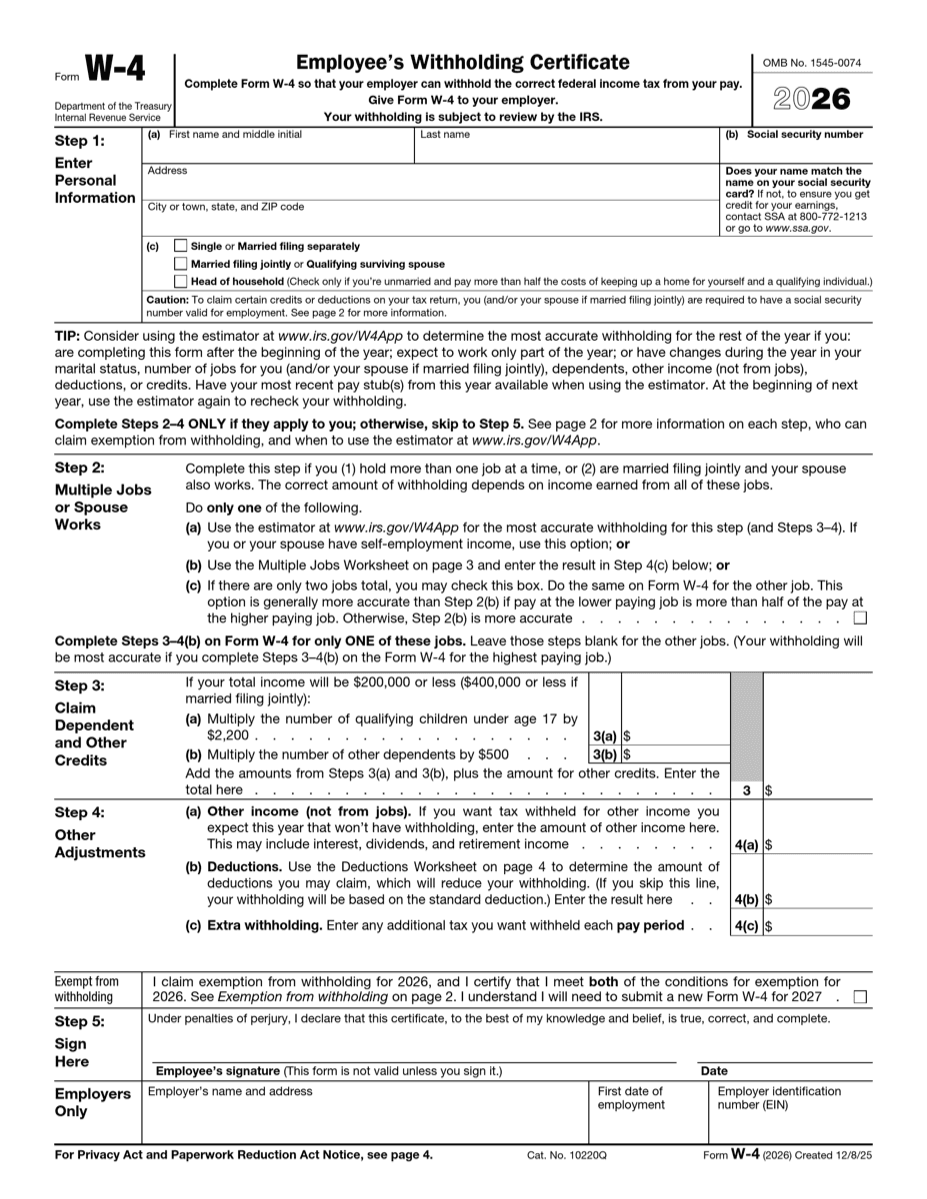
Preview of IRS Form W-4, the Employee's Withholding Certificate

Get your form

We use the latest official version of this form. It opens ready to fill — every page, field and checkbox from the original PDF.

Form
Form W-4
Issued by
Internal Revenue Service (IRS)
Version
2026
Pages
5
Fillable online
Yes
Sign online
Yes

How to fill out Form W-4 online

  1. 1

    Open

    Click Get Form. The official blank form opens in our editor — nothing to download or upload.

  2. 2

    Fill

    Type into the fields, tick the checkboxes and add your signature right on the form.

  3. 3

    Download

    Click Download, enter your email and get a completed PDF ready to print, mail or submit.

What is Form W-4?

Form W-4 is the IRS Employee's Withholding Certificate. You give it to your employer — not to the IRS — so they know how much federal income tax to take out of each paycheck.

The 2026 PDF has five pages: the one-page certificate, instructions, and worksheets for multiple jobs and deductions.

Who needs Form W-4

  • New employees starting a job
  • Employees whose situation changed — marriage, a new child, a second job or a spouse who starts working
  • Anyone who wants more or less tax withheld from their pay

Form W-4 instructions

  1. 1

    Step 1 — personal information

    Enter your name, Social Security number, address and filing status. Everyone completes this step.

  2. 2

    Step 2 — multiple jobs or a working spouse

    Complete only if you hold more than one job or are married filing jointly and your spouse also works.

  3. 3

    Step 3 — claim dependents

    Complete only if your income is within the limit shown on the form and you have qualifying children or other dependents.

  4. 4

    Step 4 — other adjustments (optional)

    Add other income, deductions beyond the standard deduction, or extra tax you want withheld each pay period.

  5. 5

    Step 5 — sign and date

    Sign and date the form. It is not valid unless you sign it. Your employer fills in the Employers Only section.

Where to submit Form W-4

Give the signed W-4 to your employer's payroll or HR team. Do not send it to the IRS.

You can hand in a new W-4 at any time if your situation changes. Use the IRS Tax Withholding Estimator on IRS.gov to check your numbers.

Frequently Asked Questions

Ready to fill out Form W-4?

Open the official form, fill it in, and download your completed PDF in minutes.

PDFVault is an independent online PDF editor. We are not affiliated with, endorsed by, or acting on behalf of the IRS or any government agency. You can download this form for free from irs.gov.

Start for $0.99 for 7 days, then $39.99 per month unless you cancel. The fee is for PDFVault's editing and download tools, not for the government form, which is free from the issuing agency.

This page is general information, not legal or tax advice. Always check the official instructions before submitting. Official PDF